
Setting Up Subtasks and Related Items
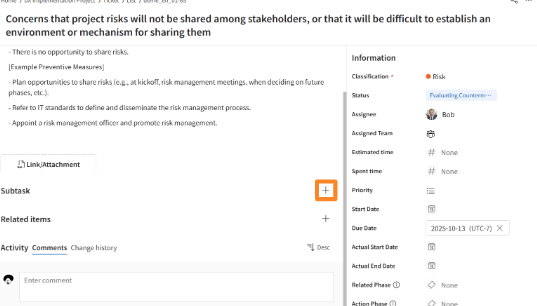
- Open the details screen of the ticket where you want to set up subtasks/related items.
-
Click the [+] icon displayed to the right of "Subtasks/Related Items."
-
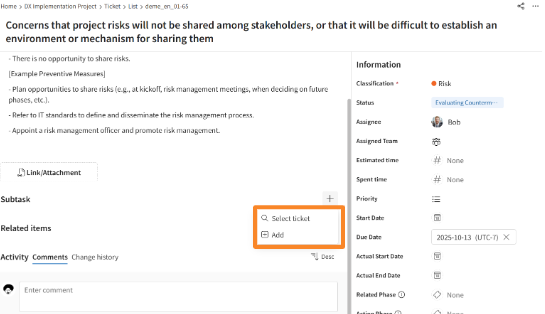
Click either [Select ticket] or [Add] as appropriate.
-
[Select ticket] allows you to set an existing ticket as a subtask.
-
[Add] allows you to create a new ticket and set it as a subtask.
-
-
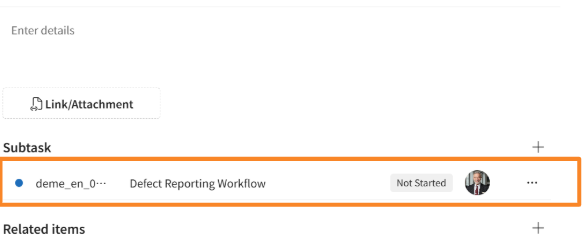
Verify that the ticket has been added to the "Subtasks/Related Items" display area, and edit each ticket as needed.
- You can only set "Task" as a subtask.
- For related items, you can set any ticket type.
- Your ability to create, view, edit, and delete tickets is determined by your assigned permission role.