
You can only configure access permissions if you meet both of the following conditions:
-
You have an Innovator or Leader license.
-
You have the "Edit" role for the specific program or project.
To set access permissions:
-
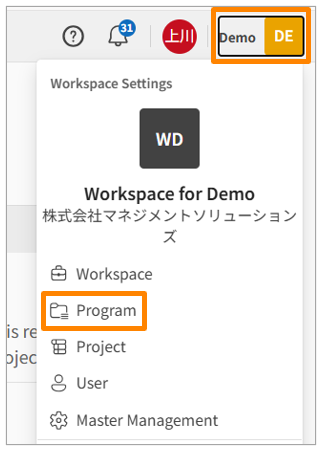
Click your workspace name in the upper right corner of the screen, then click [Program] or [Project]. Alternatively, click [Program] or [Project] in the sidebar menu of the Workspace Settings screen.
-
Click the name of the program or project you want to edit.
-
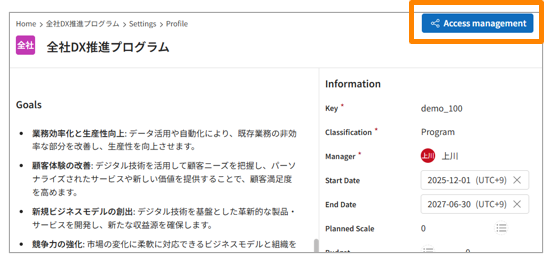
Click [Access management] in the upper right corner of the screen.
-
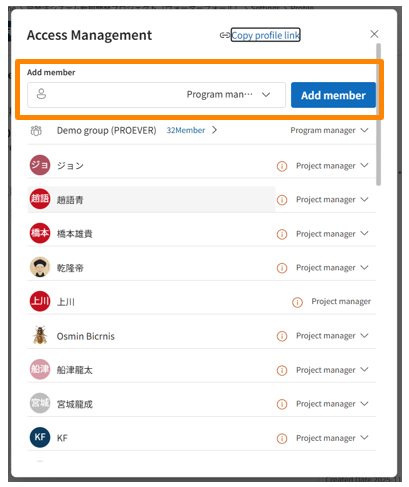
Click the input area displayed below "Add member" and select the permission group or user you want to grant access permissions to.
-
Select the role to assign to the selected target in step 4, then click [Add member].
-
Confirm that the target is displayed in the access management list.
Note