
-
Add from the List View
-
Add from the Board View
Adding from the List View
-
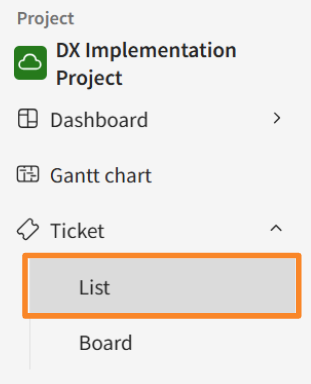
Click Ticket > List in the side menu.
-
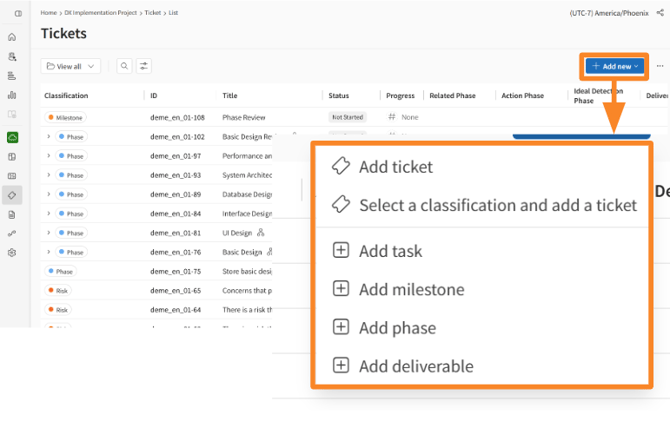
Click [Add new].
-
Select the appropriate item: [Add ticket], [Select a classification and add a ticket], [Add task], [Add milestone], [Add phase], or [Add deliverable].
-
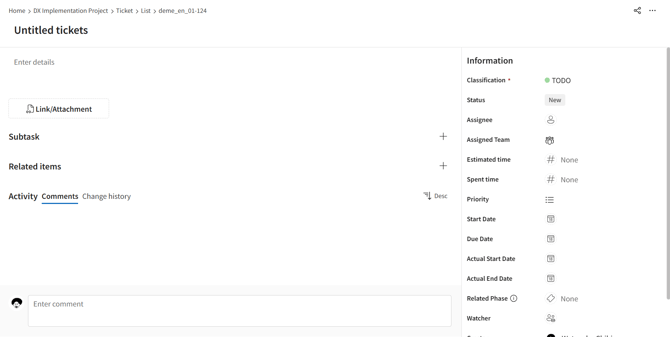
Enter the required information into the fields on the displayed Ticket Details screen.
Adding from the Board View
-
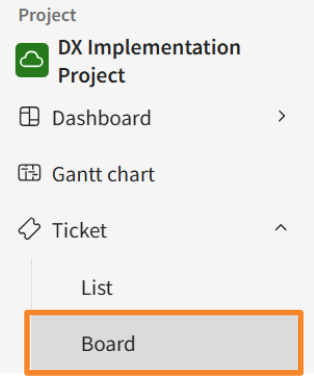
Click Ticket > Board in the side menu.
-
Click [+] next to the status or [+] at the bottom of the board.
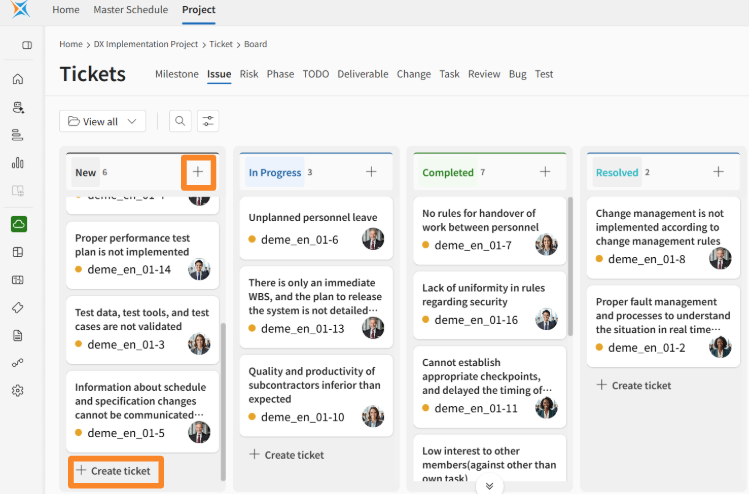
-
A ticket will be created at the top of the board for that status.
-
Click the newly created ticket and enter the required information into the fields on the displayed Details screen.
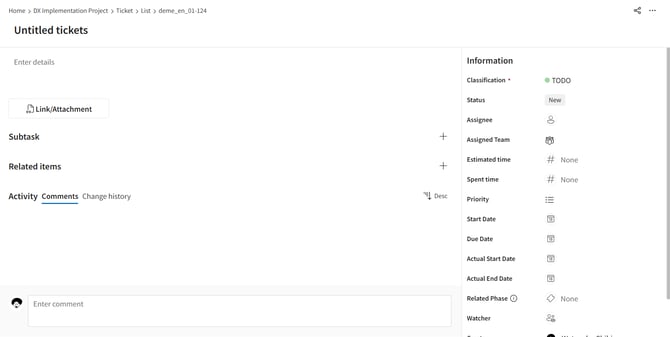
- Information entered into the fields is saved automatically.
-
When you click Add Ticket, the status and ticket category are set to their default values.
-
Permissions for adding, viewing, editing, and deleting tickets are controlled by permission roles. If you are unable to perform an intended operation, please contact a user with an Innovator license and request a change to your permissions.
About the Automatic Calculation Feature
The automatic ticket update feature aims to reduce the burden of daily data entry in ticket management, prevent omissions of important data like actual dates and progress rates, and improve the consistency of project progress.
The following three types of automation are executed, triggered by specific ticket operations (such as status updates or progress rate changes):
-
Automatic Updates to Other Items following a ticket status update (e.g., actual dates, progress rate).
-
Automatic Status Updates for Parent/Child Tickets following a child ticket's status update.
-
Automatic Progress Rate Calculation in a parent-child task structure.
Automatic calculation is not performed when tickets are imported via CSV.
When tickets are imported via CSV, only the automatic progress rate calculation within the parent-child task structure is performed.
The following automatic updates are NOT performed:
-
Automatic updates to other items following a ticket status update (e.g., actual dates, progress rate).
-
Automatic status updates for parent/child tickets.