PROEVER's Default Settings
PROEVER comes with default ticket classifications and management items essential for project management, based on MSOL's expertise. This allows you to quickly set up your project management process and kick off your projects right away.
Flexible Customization for Your Projects
Ticket classifications and management items can be freely customized to match your project's unique characteristics and requirements. This allows you to build a project management process that's perfectly optimized for your specific needs.
Visualize Project Status with Three Views
Registered tickets can be viewed in three different ways: List, Board, and Gantt Chart.
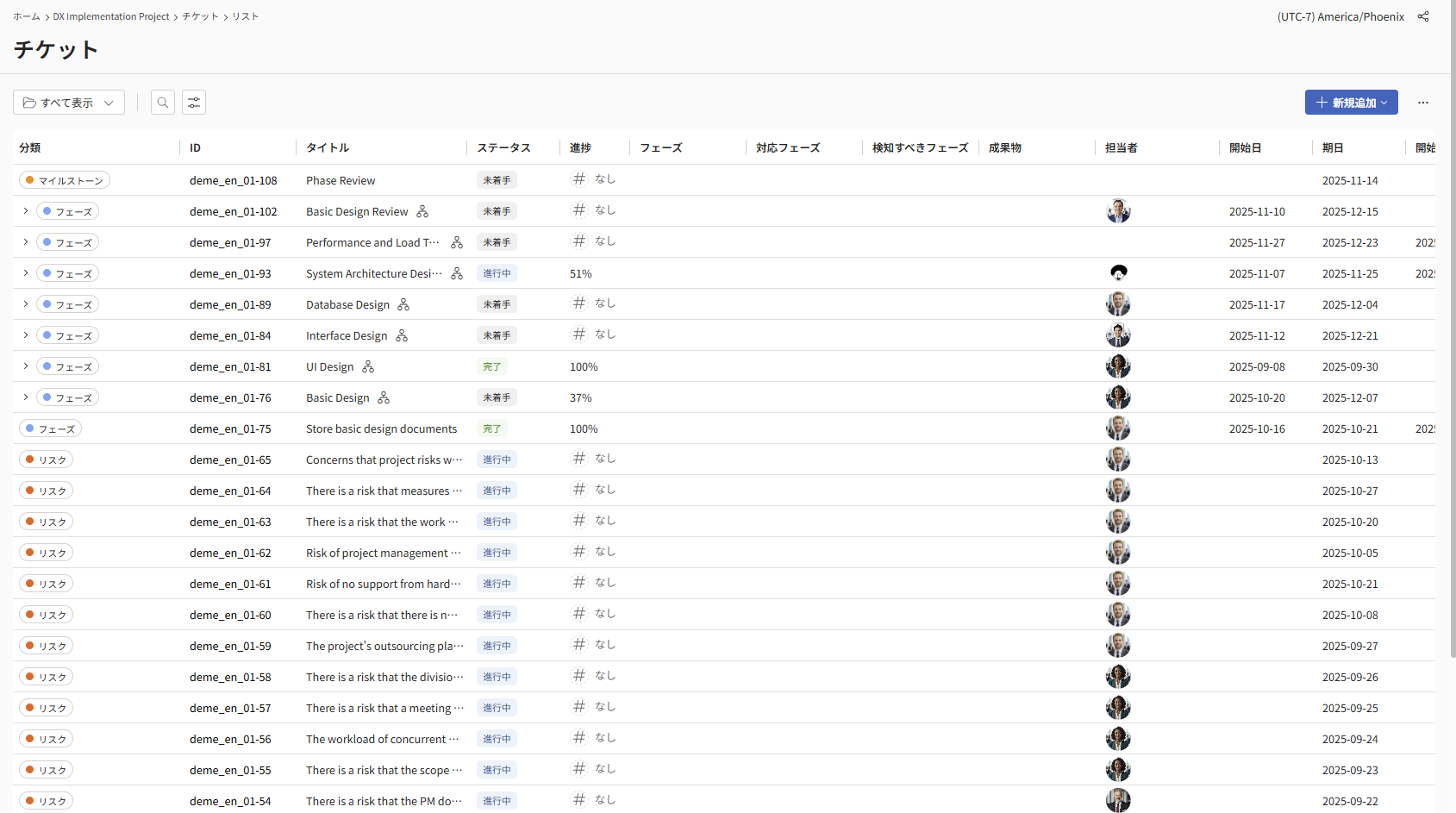
List View
All registered tickets are displayed in a comprehensive list. This view helps you grasp the full scope of events occurring within your project.
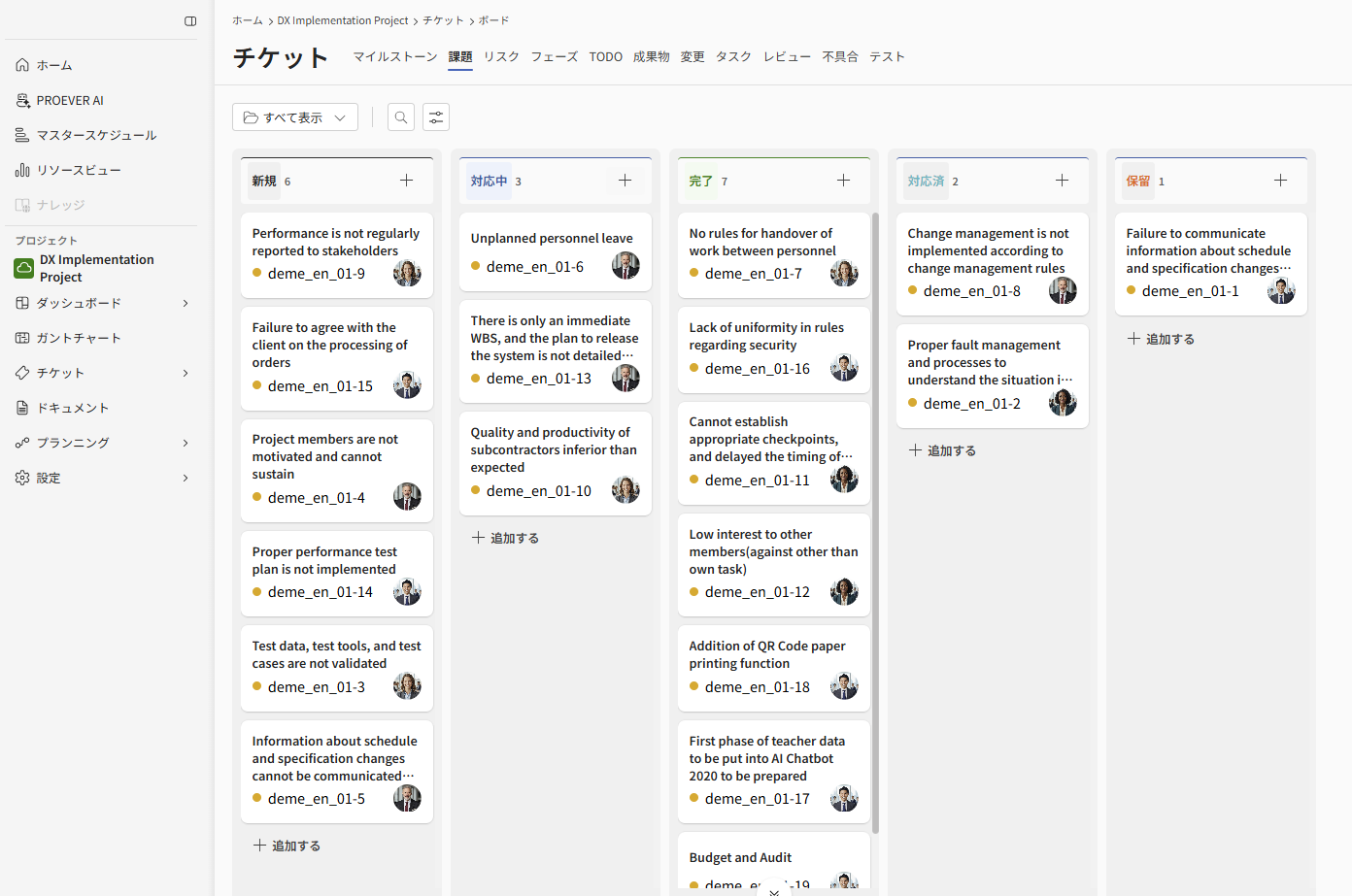
Board View
Registered tickets are displayed in a Kanban format, categorized by status. This view helps you visually understand current work progress and identify bottlenecks.
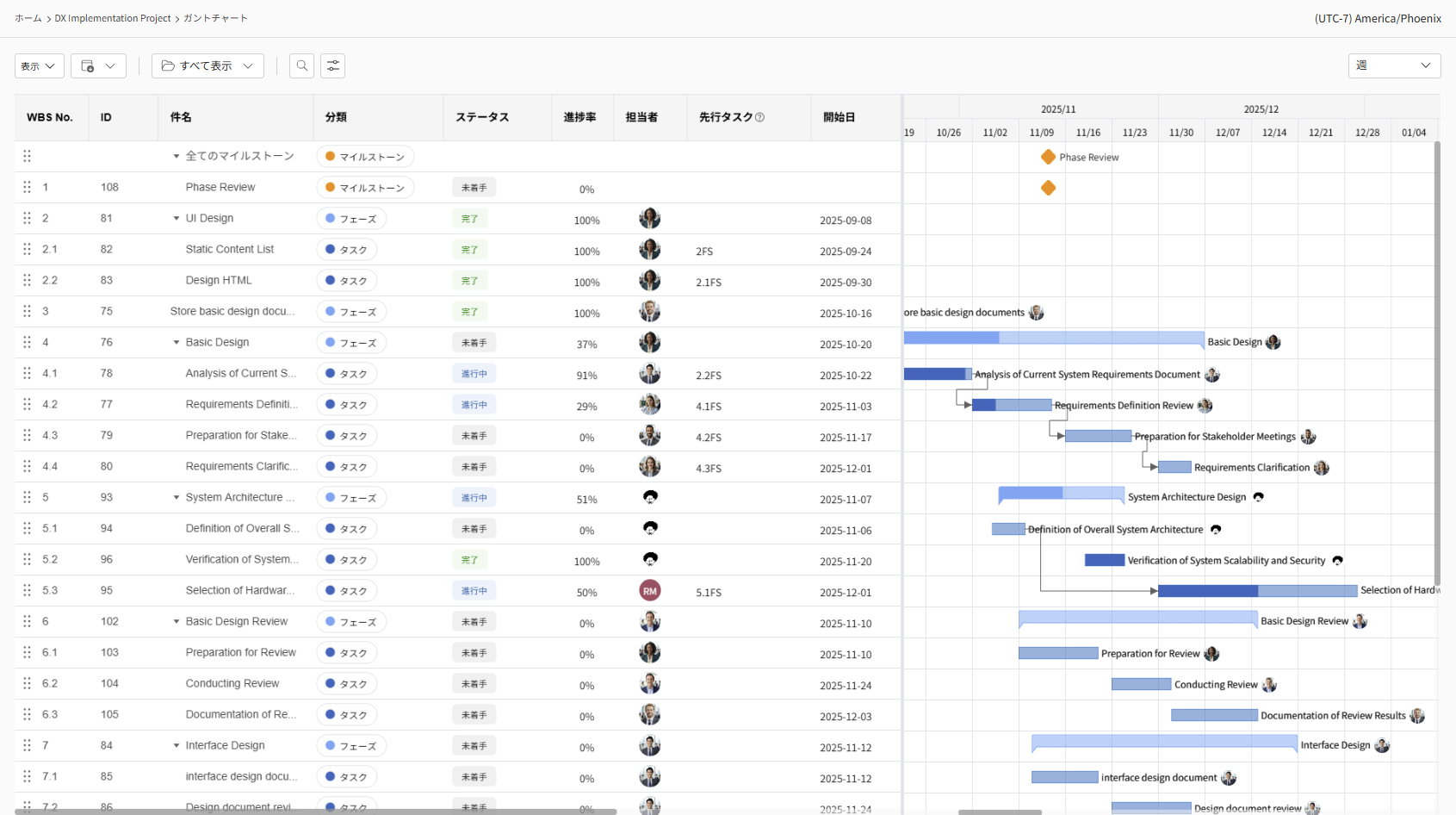
Gantt Chart View
Tickets categorized as "Phases," "Deliverables," and "Tasks" are displayed with their start and end date bars. This view is useful for understanding progress against your plan and reviewing future work schedules.