
Follow these steps to set up a team:
-
Select the program or project where you want to create the team.
-
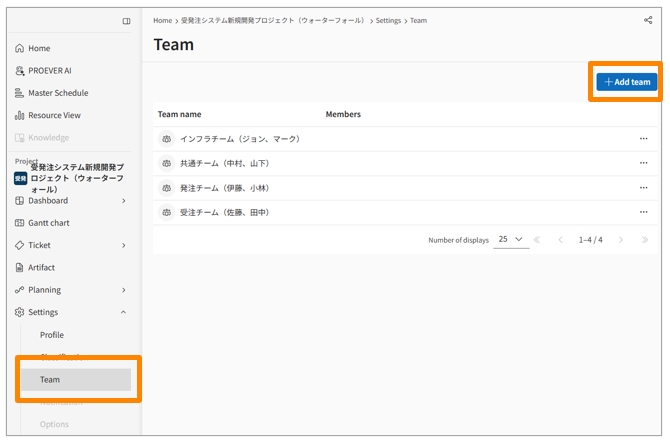
In the side menu, click [Settings] > [Teams].
-
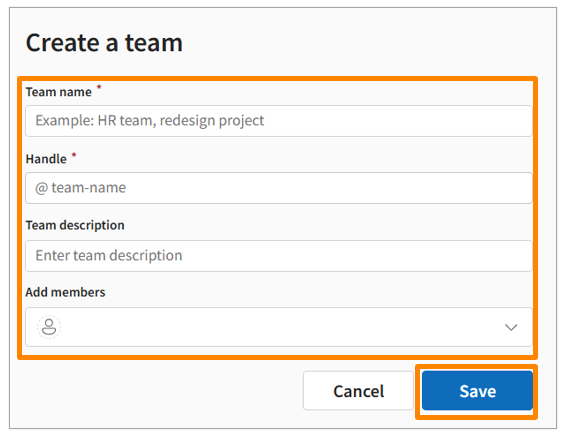
Click [Add Team] and enter the required information.
-
Click [Save].
- The configured teams can be selected as the Assigned Team or Watchers for each ticket.
- Metrics and Health Scores are calculated for each configured team, and you can view them on the Dashboard.