-
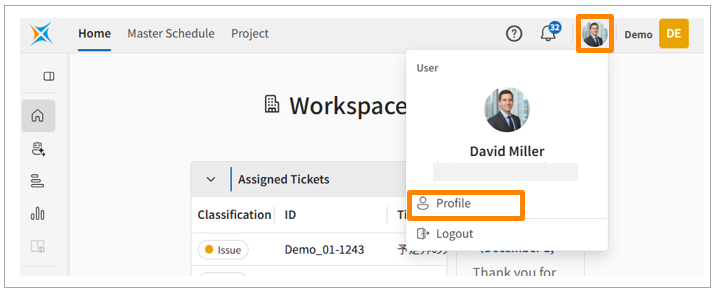
Click the icon in the header and select [Profile].
-
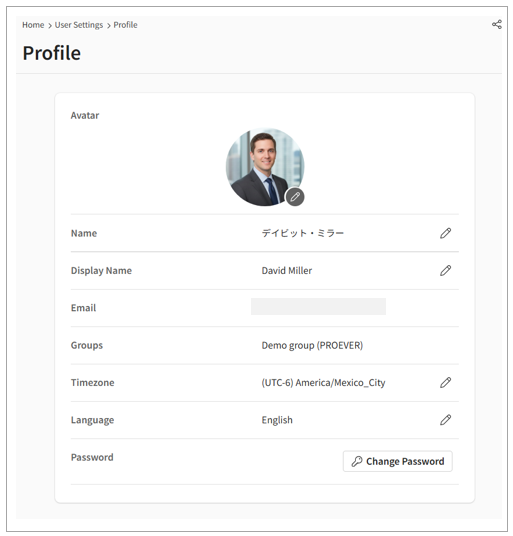
Click the pencil icon next to your profile picture to upload an image.
-
Edit the following information:
-
Display Name
-
Public Memo
-
Personal Time Zone
-
Language
-
Password
-
English
