
You can only configure the program hierarchy if you meet the following two conditions:
-
You have an Innovator or Leader license.
-
You have been granted the "Edit" role for the relevant program or project.
To configure the program hierarchy:
-
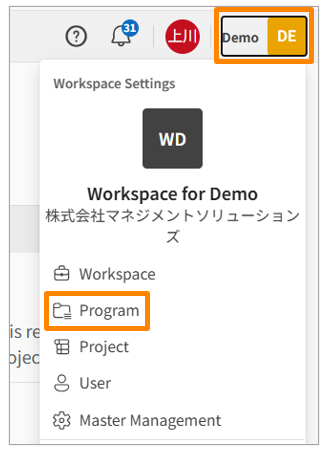
Click your workspace name in the top right corner of the screen, then click [Programs]. Alternatively, click [Programs] in the sidebar menu of the Workspace Settings screen.
-
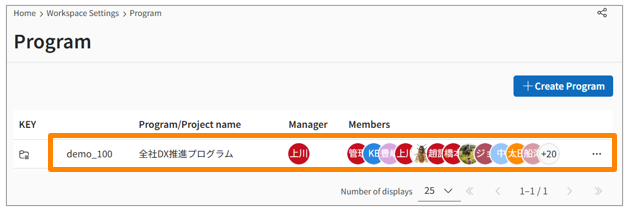
Click the name of the program you want to edit.
-
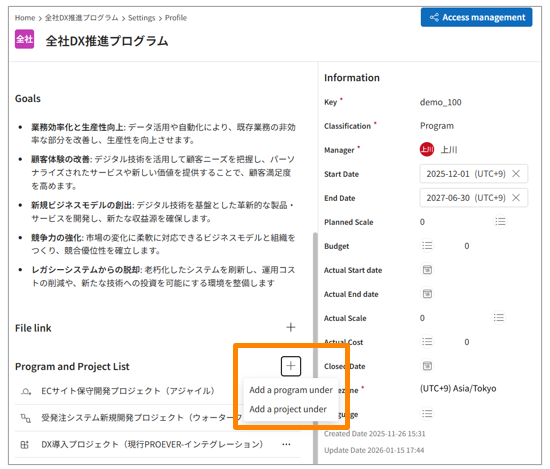
Click [+] on the right side of the "Program and Project List."
-
Click [Add a program under] or [Add a project under].
-
Search for and select the program or project you want to link by its name or KEY.
-
You can set up to 10 levels of hierarchy.
-
You cannot link a project under another project.
-
When you belong to a program, permissions are inherited by the projects below it.