
You can only edit a program if you meet both of the following conditions:
-
You have an Innovator or Leader license.
-
You have been granted the "Edit" role for the specific program or project.
How to Edit
-
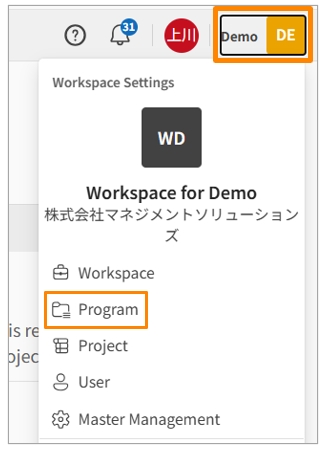
Click your workspace name in the upper right corner of the screen, then click [Program]. Alternatively, click [Program] in the side menu of the Workspace Settings screen.
-
Click the name of the program you want to edit.
-
Update the content in the input field you wish to modify.