
Pending a User
- Click your workspace name in the top-right corner of the screen, then click [User]. Alternatively, from the sidebar menu in the Workspace Settings screen, click [User].
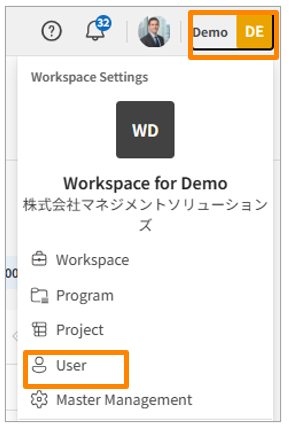
-
Click the three-dot menu on the right side of the user you want to deactivate, then select [Pending].
-
Click [Save].
Delete a User
- Click your workspace name in the top-right corner of the screen, then click [User]. Alternatively, from the sidebar menu in the Workspace Settings screen, click [User].
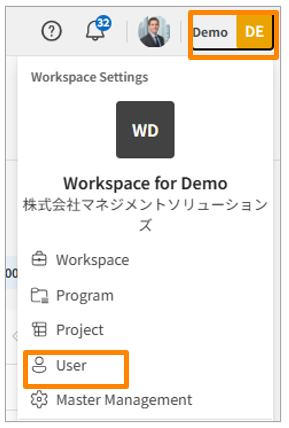
-
Click the three-dot menu on the right side of the user you want to delete, then select [Delete].
-
Click [Save].