
-
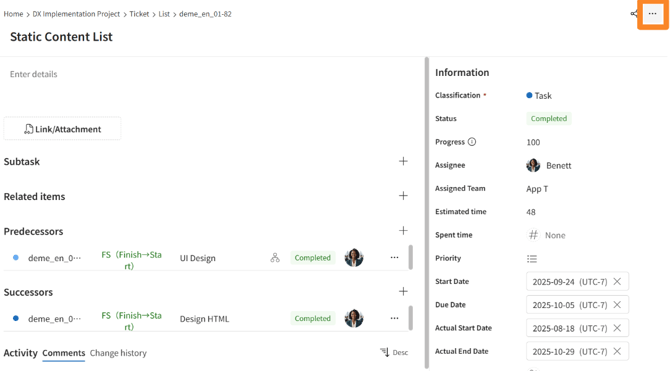
Open the ticket's detail screen.
-
Click [...] in the top right corner.
-
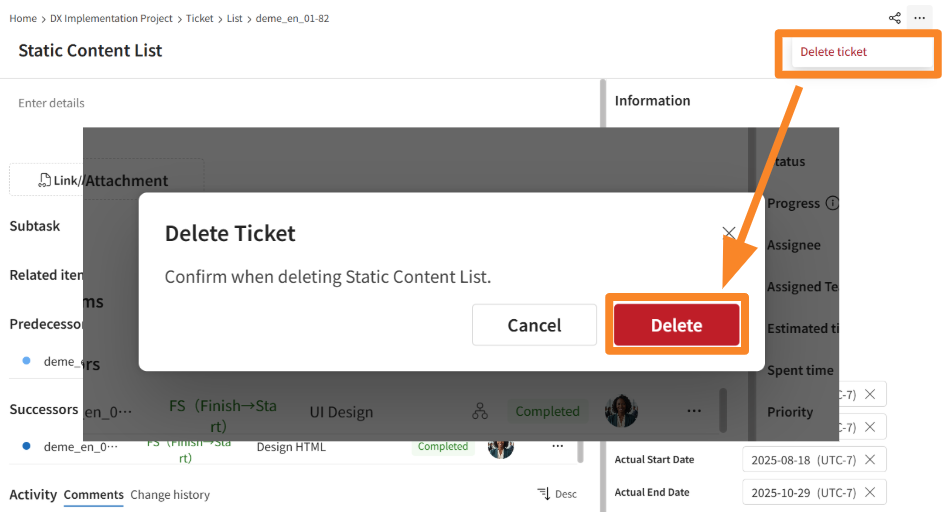
Click [Delete ticket] > [Delete].
-
Confirm that the ticket has been successfully deleted.
- Permissions for adding, viewing, editing, and deleting tickets are controlled by permission roles. If you are unable to perform an intended operation, please contact a user with an Innovator license and request a change to your permissions.