
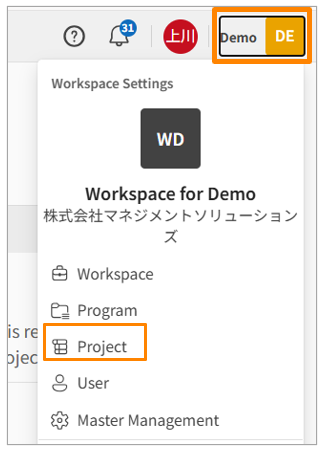
- In Workspace Settings, click [Project].
- Click the three-dot menu[
 ] to the right of the project you want to delete, then select [Delete Project].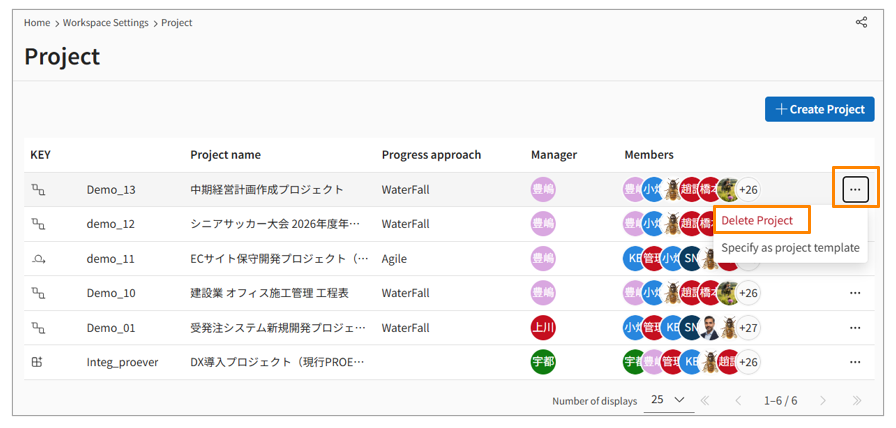
- Enter the project name to confirm the action, and then click [Delete].
Important Warning: Deleted projects cannot be restored. Please proceed with caution when deleting a project.