Only users with an Innovator license can add or edit permission groups.
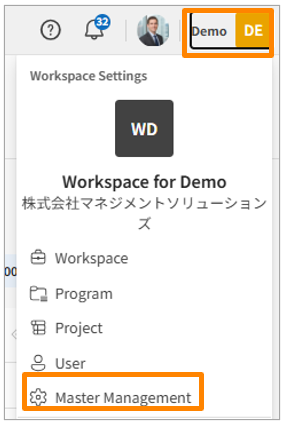
- Click your workspace name in the top-right corner of the screen, then click [Master Manegement]. Alternatively, from the sidebar menu in the Workspace Settings screen, click [Master Manegement].
-
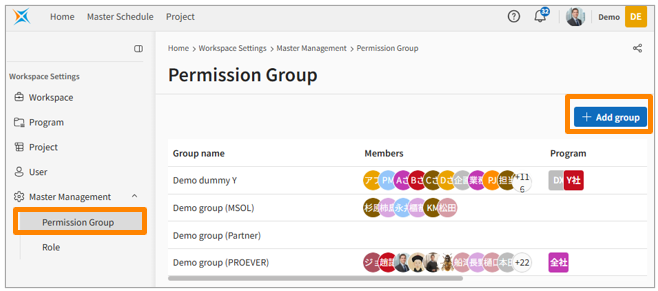
Click [Permission Group].
-
Click [Add Group] in the top right corner.
-
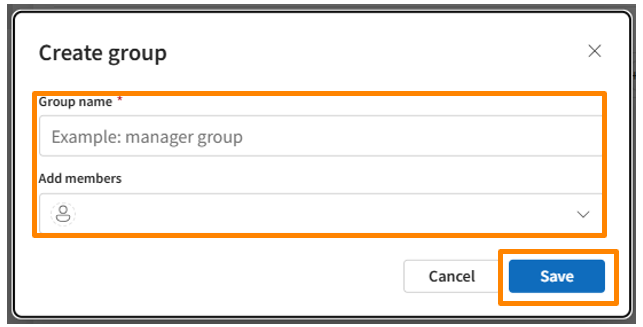
Enter the Group Name, add any desired Members (from the "Add members" section), and then click [Save].