
Close a Project
- To close a project, open its profile screen.
- In the top-right corner, click the three-dot menu (...) > [Close].
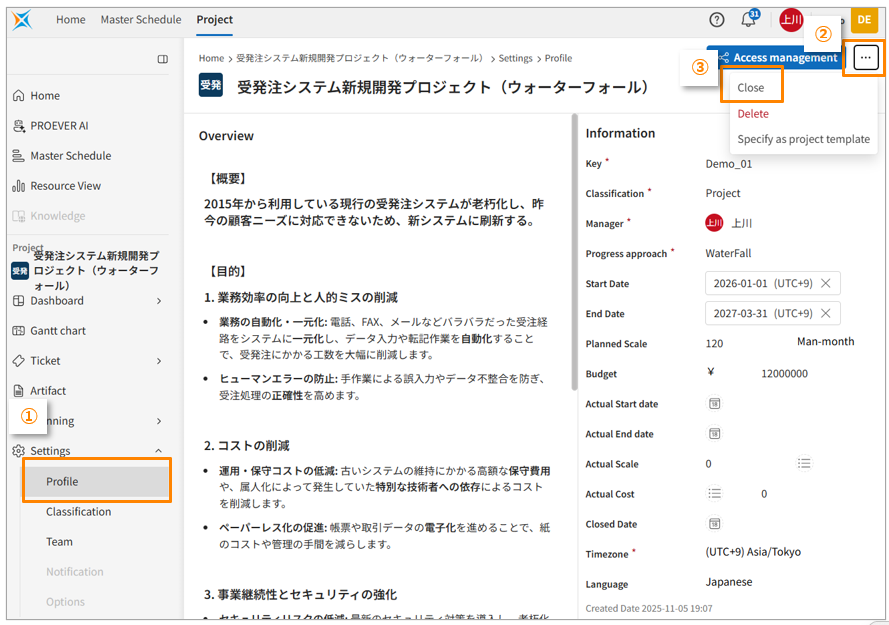
When a project is closed, you can no longer edit it; it becomes read-only. However, you can still manage access controls (add, update, delete permissions), but even if you assign a user an "add" or "edit" role, their access will be restricted to "view" only.
To make edits to a closed project, you must first restore it.
Restore a Project
- To restore a closed project, open its profile screen.
- In the top-right corner, click the three-dot menu (...) > [Restore].
You cannot restore a project if its parent program is closed. To restore the project, you must first restore the parent program, then try again.