
A different CSV format is required to import ticket classification data, such as Tasks, Issues, Bugs, and Stories.
CSV export and the updating or deletion of existing data via CSV import are not supported.
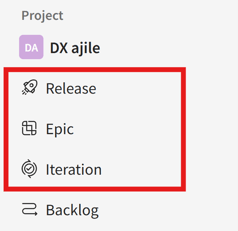
- In the side menu, click the menu for the data you want to import.
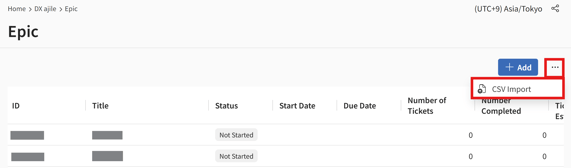
- Click the […] (three-dot) icon next to [Add New] in the upper-right corner of the screen, then select [CSV Import].
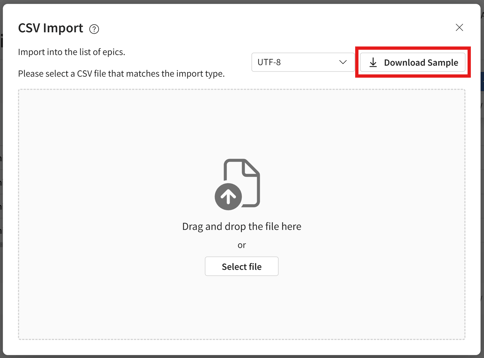
- In the [CSV Import] dialog that appears, click [Download Sample] to download the CSV template.
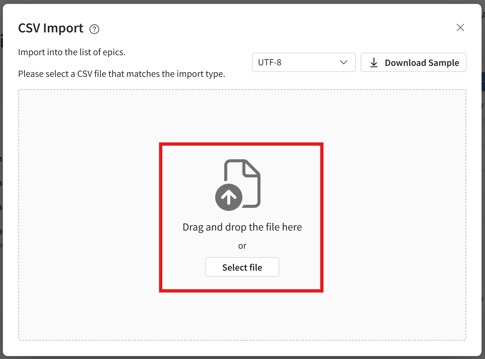
- Edit the CSV file according to the input rules*, then drag and drop it into the [Drag and drop a file here] area.
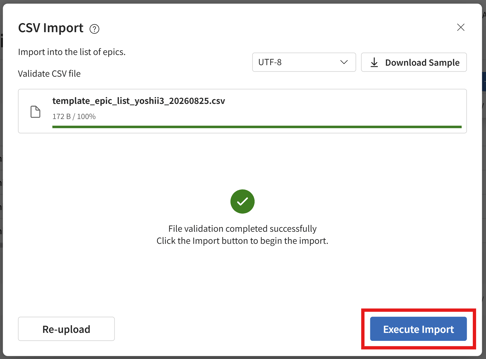
- Once the CSV file has been validated, click [Run Import].
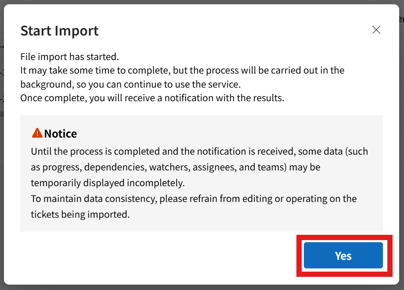
- In the [Start Import] dialog that appears, click [Yes].
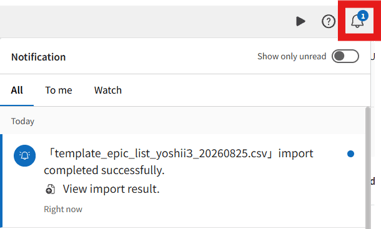
- When the import process is complete, you will receive a notification via the bell icon in the header.
Input Rules
Import Epic CSV file must contain the following information:
- Required fields: Enter Title and Status.
- Status: Enter one of "New", "In Progress", or "Completed".
- Priority: Enter one of "Urgent", "High", "Medium", or "Low".
- Dates: Enter in YYYY/MM/DD or YYYY-MM-DD format.
- Assignee / Watchers: Enter an email address.
- Assigned Team: Enter the name of an existing team.
- Details: Use
if you want to insert a line break. - Multiple values: In the Watchers column, separate values with ||.
- Sample file: Available from "Download a Sample".
Entry Examples
| Field | Example | Notes |
| Title | Create design document | |
| Status | Not Started |
Enter a status configured for the selected classification.
|
| Priority | High | Enter one of the following: Urgent, High, Medium, or Low. |
| Start Date | 2026/03/09 | Enter the date in YYYY/MM/DD format. |
| Due Date | 2026/03/14 | Enter the date in YYYY/MM/DD format. |
| Actual Start Date | 2026/03/09 | Enter the date in YYYY/MM/DD format. |
| Actual End Date | 2026/03/14 | Enter the date in YYYY/MM/DD format. |
| Assignee Email Address | yamada_taro@mail.com | Enter an email address. |
| Assigned Team | Operations Team | Enter the name of an existing team. |
| Watcher | sato_ichiro@mail.com |
Enter an email address.
|
| Details | Sample text | HTML is supported. |
You can view the CSV input rules by hovering over the icon in the [CSV Import] dialog.
A maximum of 5,000 records can be imported at one time.