
Only users with an Innovator or Leader license can export ticket data as a CSV file.
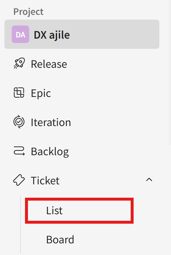
- In the side menu, click [Tickets] > [List].
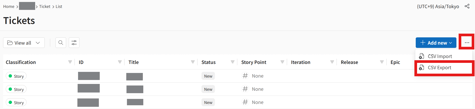
- Click the […] (three-dot) icon next to [Add New] in the upper-right corner of the screen, then select [CSV Export].
- In the [CSV Export] dialog that appears, click [Export All].
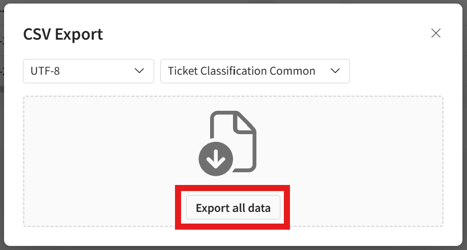
If there is a large amount of data, the export process may take some time.