
Roles can only be managed by users with an Innovator license.
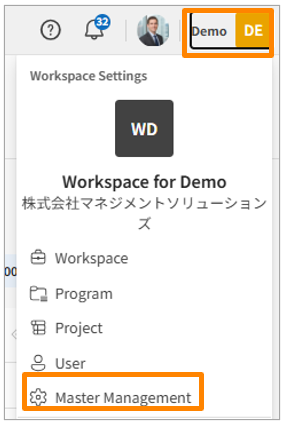
- Click your workspace name in the top-right corner of the screen, then click [Master Manegement]. Alternatively, from the sidebar menu in the Workspace Settings screen, click [Master Manegement].
-
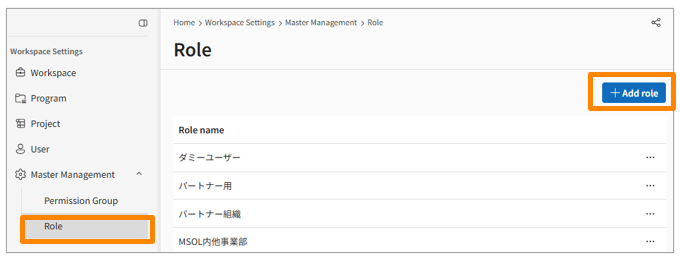
From the sidebar menu in the Workspace Settings screen, click [Master Management] > [Role].
-
Click [Add Role] in the top right corner.
-
Combine the Role Name and Permission Settings, then click [Save].
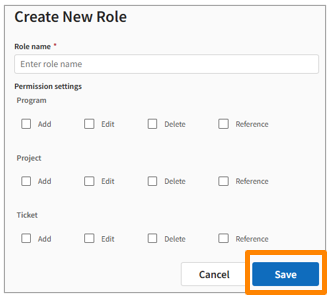
Even if a license grants access permission, you must explicitly grant the corresponding function permissions (Add, View, Edit, Delete) within the role settings to perform actual operations. A license defines the "available range" of what you can do, while a role controls "what you can actually do."