
Only users with an Innovator or Leader license can add projects.
-
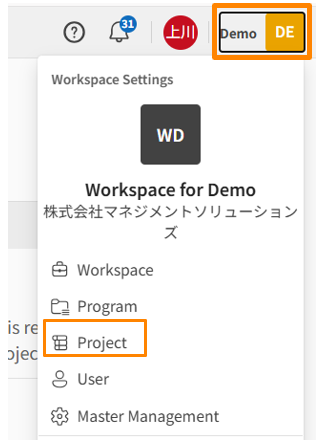
Click your workspace name in the upper right corner of the screen, then click [Projects]. Alternatively, click [Projects] in the sidebar menu on the workspace settings screen.
-
Click [Create Project].
-
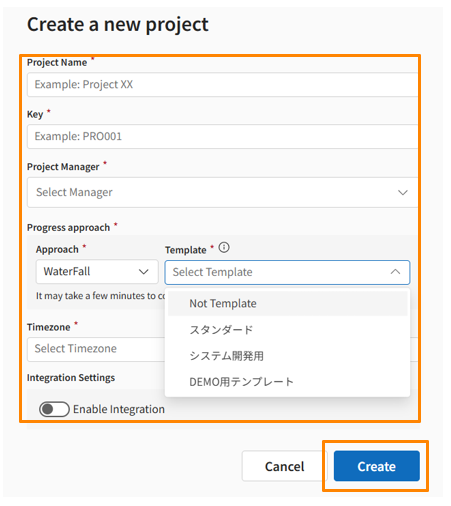
Enter the "Project Name," "KEY," "Project Manager," and "Approach."
-
Click [Create] and confirm that the project is displayed in the project list.
-
The KEY is a unique code that identifies a project within PROEVER. You cannot set duplicate KEYs within the same workspace.
-
Once set during creation, the KEY cannot be changed.