
There are two main ways to create an iteration in PROEVER:
-
Add it from the Iterations screen
-
Add it from the Backlog screen
Add an Iteration from the Iterations Screen
-
From the sidebar menu, click [Iterations].
-
Click [Add].
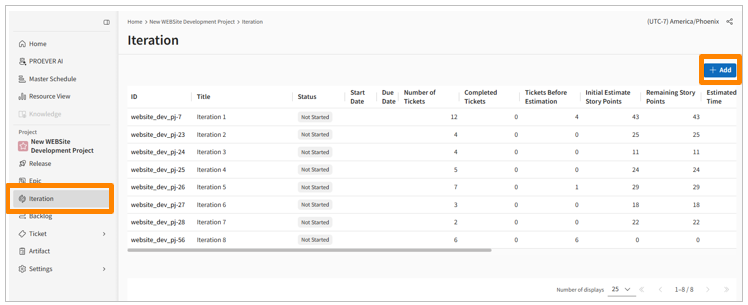
-
Fill in the fields on the details screen that appears.
Add an Iteration from the Backlog Screen
-
From the sidebar menu, click [Backlog].
-
In the top-right corner, click [Add Iteration].
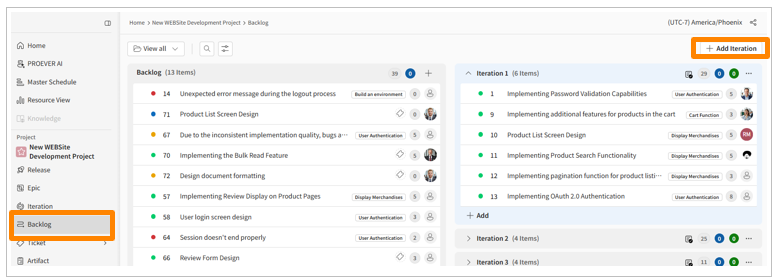
Note: The iteration's title cannot be changed or deleted. Iterations are automatically numbered in the order they are created.
Editing an Iteration
-
From the sidebar menu, click [Iterations].
-
In the top-right corner of the screen, click the three-dot menu > [Edit Iteration].
-
Change the settings as needed.
-
Click [Save].