
To review a project plan, follow these steps:
-
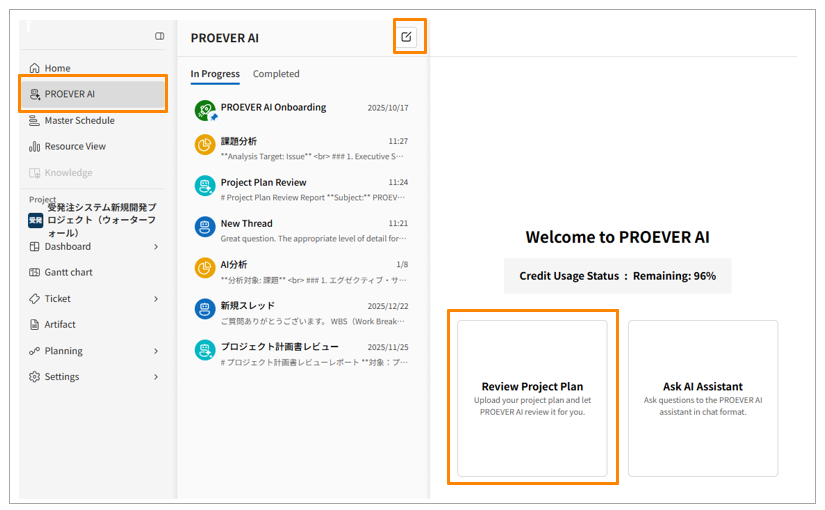
Click [PROEVER AI] in the side menu.
-
Click [
 ] to create a new thread.
 -
Click [Review Project Plan].
-
Click [Add File] and select the project plan you want to review.
-
Click [Upload].
-
The review results will appear in a few minutes. Check the content and improve your project plan.
-
Click [Complete] to finish the thread.
- You can upload files with the following extensions: .pdf, .docx, and .pptx.
- AI-powered features have usage limits. Each workspace is granted a certain amount of AI credits monthly, which can be used to access AI features.
- Once your AI credits are depleted, you will no longer be able to use AI features. In such cases, please contact your MSOL CS representative. We will add more AI credits for you.