1. View Iteration Progress
-
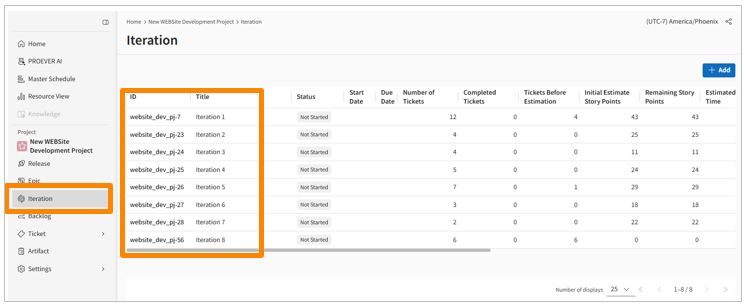
In the sidebar menu, click [Iterations].
-
Click the ID of the iteration you want to view.
2. Manage Target Tickets
-
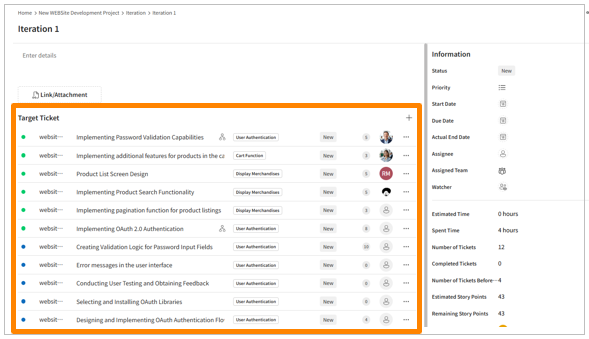
In the [Target Tickets] section, you can see a list of all tickets assigned to the iteration.
-
You can also assign additional tickets by clicking the [+] icon.