-
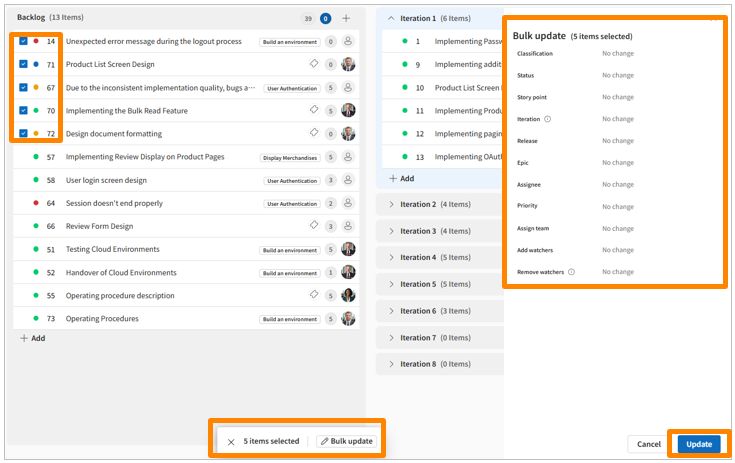
In the sidebar menu, click [Backlog].
-
Select the tickets you want to update by checking the checkbox at the beginning of each row.
-
Click the [Bulk Update] button in the pop-up that appears.
-
Use the panel displayed on the right side of the screen to set the values for the items you wish to update.
-
Click [Update].